Task Matrix
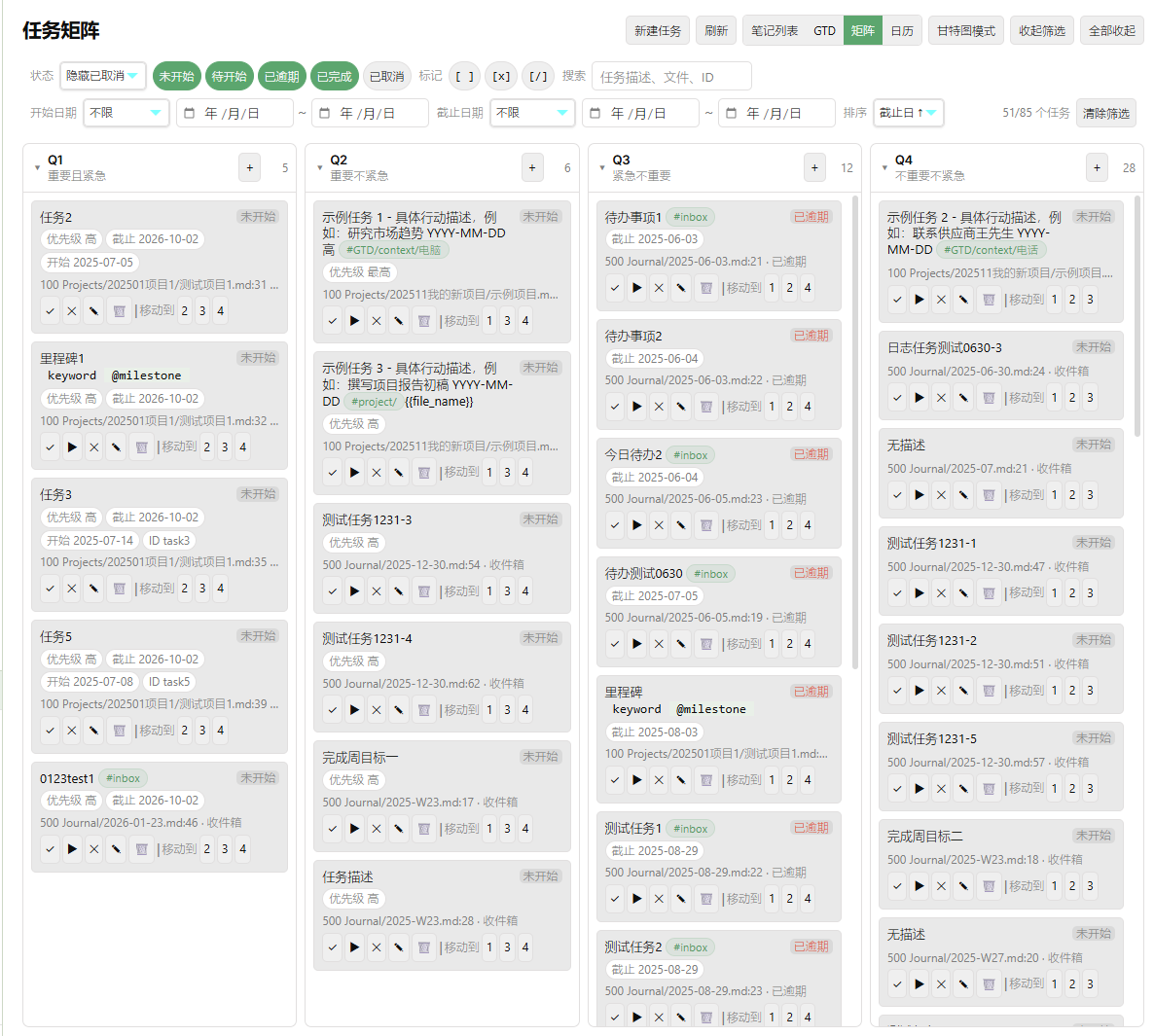
Task Matrix gathers every task in your vault into one visual dashboard: five views — list, GTD, Eisenhower matrix, calendar, and Gantt — that you can switch between freely, with filtering, drag and drop, creation, and editing built in.
Tasks are just ordinary Markdown checkboxes in your notes — the plugin changes no format and keeps no database. Anything you write in any note shows up automatically, and checking, rescheduling, or re-prioritizing from the dashboard writes back to that same line of Markdown.
Highlights
- Five views: list (browse by note), GTD (inbox / in progress / waiting / done), matrix, calendar (month / week / list), and Gantt (day / week / month / year timeline);
- Plain-text task syntax:
📅due,🛫start,🔺critical… compatible with the Tasks ecosystem’s emoji markers, plus Dataview-style[due:: …]inline fields; - Task card actions: complete / reopen / start / cancel / edit / delete, plus quick-move buttons in the GTD and matrix views;
- Drag to restate: drop a card on a GTD column or a quadrant and the plugin writes the matching tags and dates;
- Rich filtering: search, status, markers, date ranges, sorting, with a live shown/total count;
- Gantt + Mermaid: the timeline view previews and exports Mermaid code and SVG / JPG images, with holiday-aware scheduling;
- Bilingual UI following your Obsidian language by default.
Install
Requirements
Option 1: BRAT (recommended)
- Install the community plugin BRAT;
- In BRAT’s settings choose
Add Beta pluginand enterluna-jmy/obsidian-task-matrix; - Enable Task Matrix in the community-plugins list.
Option 2: Manual
- Download
main.js,manifest.json, andstyles.cssfrom the latest GitHub Release; - Create a folder under
.obsidian/plugins/(it must be namedtask-matrix-dashboard) and drop the three files in; - Enable Task Matrix in community plugins.
Option 3: From source
git clone https://github.com/luna-jmy/obsidian-task-matrix.git
cd obsidian-task-matrix
npm install && npm run build
Copy the three output files into .obsidian/plugins/task-matrix-dashboard/.
Dependencies
None required — only Obsidian’s own API, with every view rendered by the plugin. One optional integration: Templater <% … %> commands inside your journal template are expanded by Templater (if installed) when the plugin creates a missing target note; without Templater the template is copied as-is and the {{title}} / {{date}} variables still work.
Quick start
- Enable the plugin and click the kanban icon in the left ribbon (or run Open task matrix from the command palette);
- The default scan folders are
500 Journaland100 Projects— point them at wherever your tasks live in settings (clear the field to scan the whole vault); - Write
- [ ] Buy milk 📅 2026-10-02in any note; after a refresh it’s on the dashboard. See the task syntax for the full grammar.